How to Integrate a Recurring Donation Form into MODX Websites
- MODX users – here’s a quick and simple tutorial on how to embed a Donorbox donation form
- Topic area: Donorbox Integrations, Resources
Updated on
 Join the fundraising movement! Join the fundraising movement!
MODX users – here’s a quick and simple tutorial on how to embed a Donorbox donation form in your website!

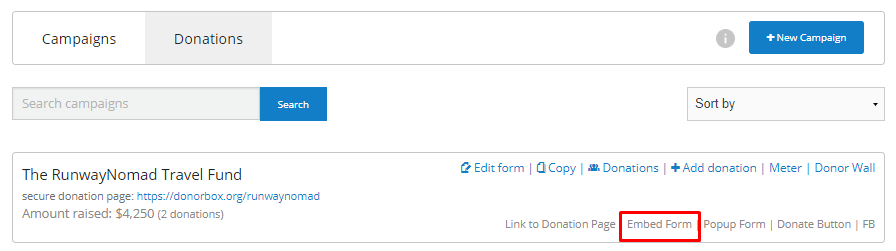
To begin, go to your Donorbox dashboard and find the campaign you wish to embed on your site. Click the “Embed form” link.
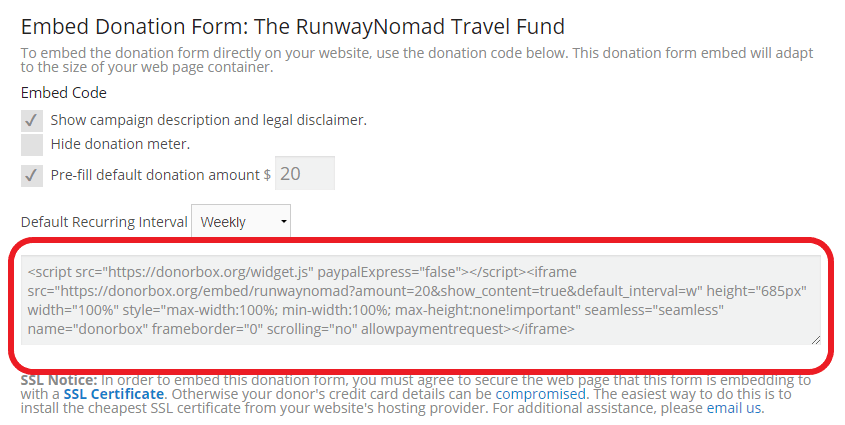
Copy and paste the embed code for your form.
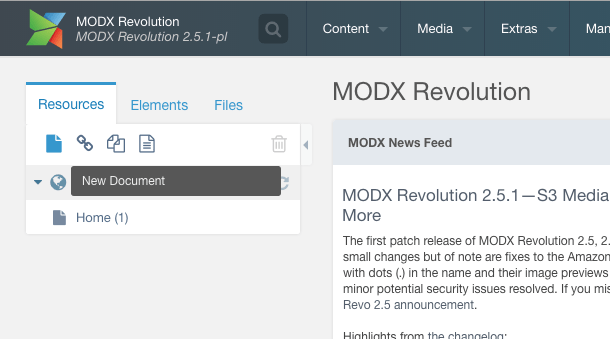
Login to your MODX account and, on your dashboard, click the paper icon under “Resources”.
Give your new page a title and a “menu title” – this is what will appear in your website menu.
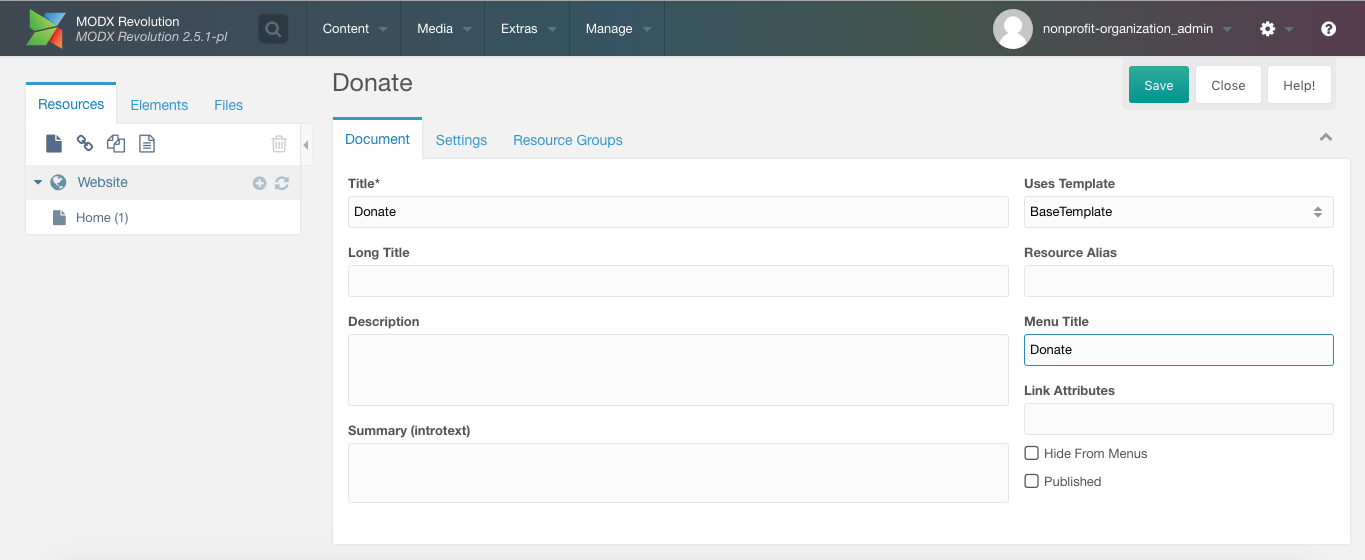
Scroll down and paste your Donorbox form embed code into the “Content” text box.
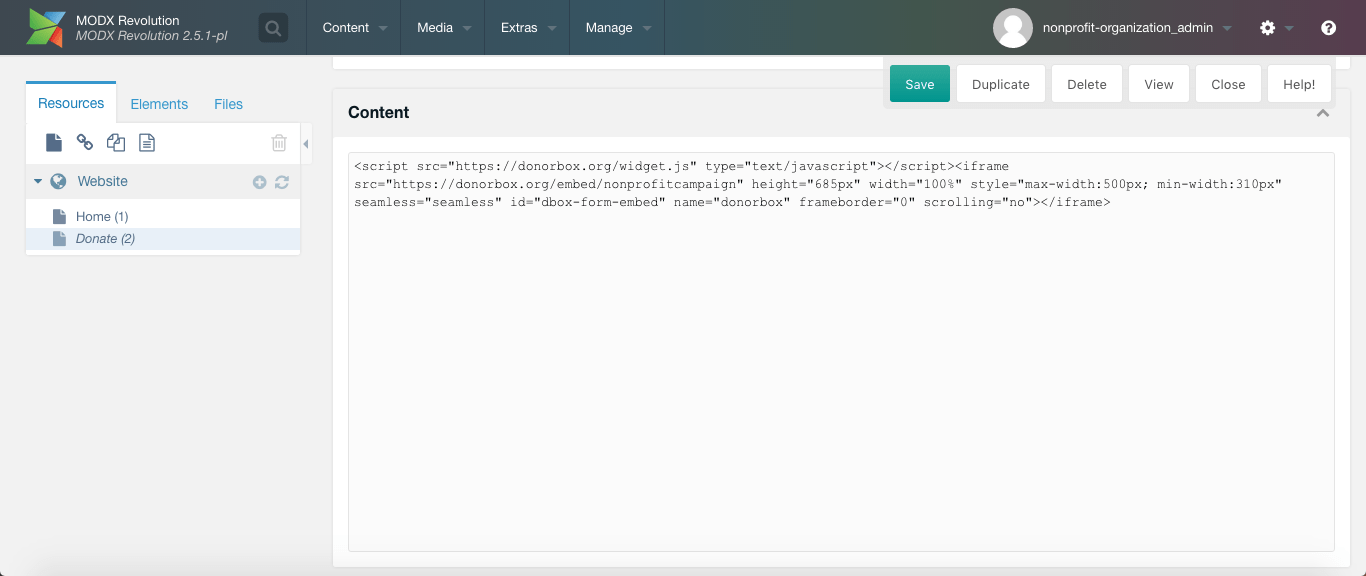
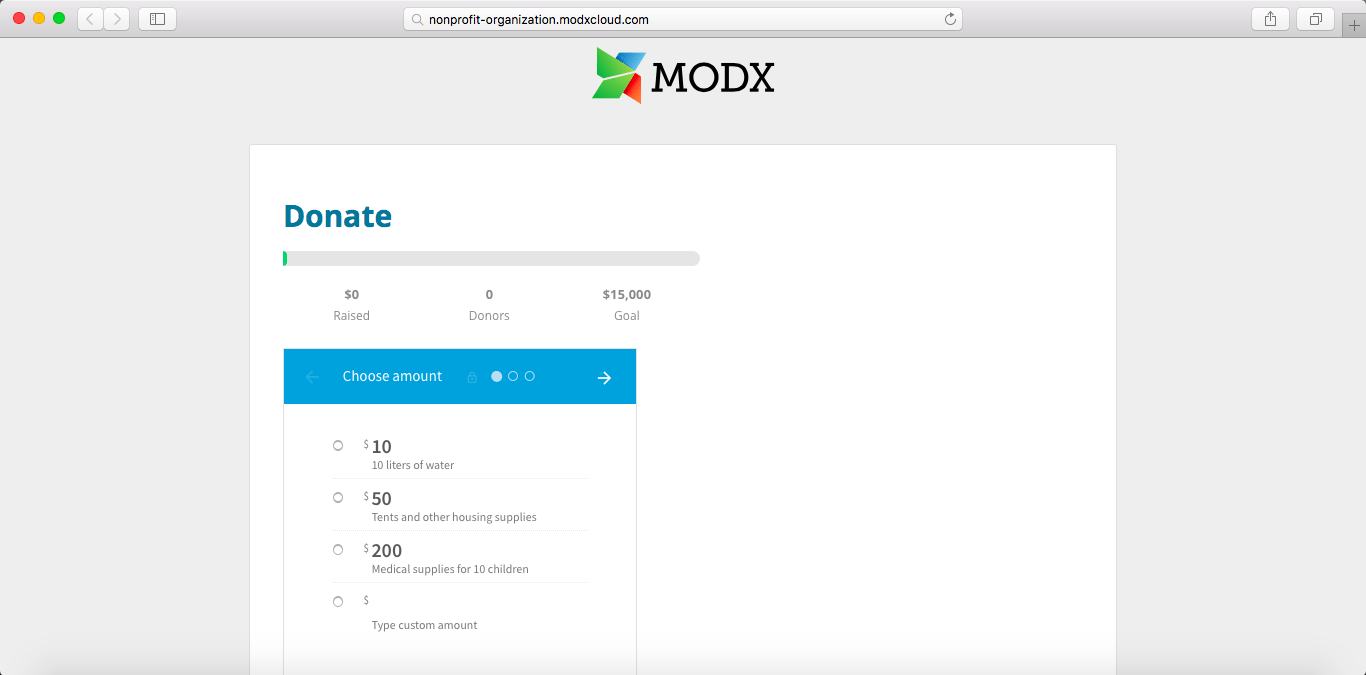
Click save, and you’re good to go! Your new web page should look a little something like this:
We hope you found this guide useful! If you have any questions or comments, feel free to contact our Support team.

 Join the fundraising movement! Join the fundraising movement!

