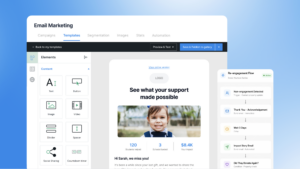
Curious what nonprofits are really saying about Mailchimp?
In this post, I’ve rounded up some common themes from user reviews to help you decide if it’s the right email marketing tool for your organization.
Pros
1. Easy To Use
Mailchimp reviewers praise its clean, intuitive interface and beginner-friendly design that makes it easy to create and manage email campaigns.
The interface is clean and pretty easy to navigate even if you don’t have much marketing experience.” – Anonymous User
The drag-and-drop editor and ready-made templates save time and make email creation easy.” – Saurabh B.
The user interface is clean, modern, and fairly intuitive, which makes building campaigns, managing contact lists, and reviewing reporting pretty straightforward.” – Khyan A.
The templates are neat and professional. I was able to send out my first campaign in minutes.” – Govind P.
2. Robust Segmentation
Reviewers find it easy to organize their contact lists and send emails to the right audience.
The contact management is super easy and very intuitive– really quick for bulk emails!” – Tyra O.
I love the Intuit Mailchimp All-in-One Marketing Platform for its exceptional ability to segment and target audiences effectively. This feature allows me to fine-tune and distinguish between different groups, making it possible to send unique campaigns tailored to each audience’s specific needs.” – Emily H.
3. Integrates With Most Software
Because Mailchimp is a popular email marketing platform, it integrates with many of the tools your organization may already use.
The default option for most other software to integrate with when sending marketing emails.” – Andrew M.
It’s very easy to use and it’s available for integration in the most common type of website CMS, such as WordPress, Shopify, and square space.” – Alexandra L.
It integrates nicely into broader SaaS workflows and connects well with CRM and marketing tools, which helps keep campaign activity aligned with sales efforts.” – Khyan A.
Cons
1. Pricing Grows As You Do
The most common complaint I saw in Mailchimp reviews is how quickly your price skyrockets as your contact list grows.
One thing I dislike about this platform is there are advanced features or hidden behind higher tier plans as the contact list grows – the pricing of this platform is becoming expensive even for mid-level teams.” – Verified User in Oil & Energy
One downside of Mailchimp is that the number of contacts per email list is limited by the tier you pay for.” – Verified Reviewer
2. Limited Advanced Features
Based on reviews, organizations that are ready to dive deeper into automation, segmentation, and other more advanced tools find Mailchimp a bit limited in those areas.
As needs grow, it can start to feel a bit limiting. More advanced automation and segmentation aren’t as flexible as some other platforms, and you can run into constraints pretty quickly if you’re trying to do more complex campaigns.” – Bradley R.
Some advanced automations and segmentation features feel slightly limited compared to more specialized tools, especially for complex funnel logic.” – Verified User in Sports
3. Time-consuming Learning Curve
Mailchimp reviews often mention that the platform can take some time to learn, which can be tough for organizations that don’t have the bandwidth to master a growing platform.
The growing number of features can still make navigation feel overwhelming, especially for new users. Some advanced settings and automation workflows require multiple steps to configure, which can create a learning curve.” – Abhay C.
It is useful for small businesses, but as the number of people increases, automation and customer generation are a bit complicated for the users. It takes some time to learn.” – Smita K.
Mastering some of the more advanced automation features takes time.” – Imanol Alfonso P.
It is not inherently intuitive, there are some learning curves.” –Catherine W.
4. Limited Customization
While Mailchimp does offer polished email templates to choose from, users say customization feels a bit limited, and they wish they had more flexibility to really make it their own.
I wish there were more customization features for easier formatting opportunities. Sadye M.
Certain templates and automations have customization limitations, which can make it hard to create highly tailored experiences.” – Maddisen F.
Customization is pretty limited. You can’t change the design as much as you’d like.” – Govind P.
Pricing
Mailchimp pricing has a 4.4 out of 5 stars on Capterra.
As mentioned above, its pricing model doesn’t work for everyone. As contact lists grow, costs increase quickly.
As a former Mailchimp user myself, I actually ended up having to delete and clean up my contact list just to keep the cost within budget, instead of focusing on growing it.
Pricing increases quickly as my contact list grows, and most of the more advanced automation and AI features are locked behind the premium plan.” – Chinmay P.
Features
Mailchimp’s features have a 4.4 out of 5 rating on Capterra.
Here are Mailchimp’s top features:
Email scheduling & campaign management
A/B testing
Pre-built Email Templates
Reporting and analytics for tracking open rates, clicks, engagement, etc.
List and contact management
Landing pages and forms
Automated workflows
As some reviews mention, many of the more advanced features organizations need are only available on higher-tier plans.
Certain automation and customization options are limited on lower-tier plans, and the platform can occasionally feel restrictive compared to other email marketing tools.” – Anonymous User
Customer Support
Mailchimp’s support has a 4.2 out of 5 rating on Capterra.
Mailchimp gives Free plan members 30 days of email support, and all paid plans include access to a chatbot. Phone support and access to a dedicated support team are only available on the Premium plan, which can be frustrating for users on a tight budget.
I also feel that unless you’re paying for the highest tier, support is lacking. Most of the time I prefer reaching out to Support via email, but without phone support, urgent issues can end up going days without a resolution.” – Kato M.
Customer support response times were also inconsistent from my experience.” – Anonymous User
How Donorbox Compares as An Email Marketing Tool
Donorbox is more than a fundraising platform; it’s also a powerful email marketing tool built specifically for nonprofits.
One of Donorbox’s biggest advantages over Mailchimp is its direct connection to your fundraising data. Because your donor activity and email marketing live in the same system, you can create more relevant segments and personalized messages based on real-time donor behavior, without constantly syncing data between platforms.
Check out Donorbox’s top features for nonprofit email marketing:
Drag-and-drop email builder
Customizable email templates
Advanced segmentation and personalized emails
Behavior-based automation triggered by actions like email opens and clicks
Reporting and analytics to help improve donor engagement
Planning to stick with Mailchimp for email marketing? You can still use Donorbox as your fundraising platform and connect it to Mailchimp through the integration to seamlessly sync your donor data.
Either way, you’ll have the flexibility to use the tools that best fit your organization.
With a background in professional writing, Lydia brings over 10 years of experience in nonprofit communications under her belt, with a strong focus on fundraising and donor engagement. Her passion for supporting nonprofits was sparked during college internships with global mission organizations, where she gained hands-on experience with fundraising marketing strategies.
Lydia went on to serve for more than eight years as a Church Communications Director, overseeing both internal and external communications to clearly communicate the church’s mission, build trust with members, and encourage generosity through accessible tools like online and recurring giving. In this role, she partnered closely with church leadership to support giving campaigns and highlight the real-life impact of financial support through storytelling.
These experiences have continued to fuel her dedication to empowering nonprofits through her writing.

 Join the fundraising movement!