PayPal is a trusted global brand and a popular choice for donors. Accepting PayPal donations is an easy way to increasedonations, but it isn’t a free option. Like most payment gateways, PayPal deducts a fee from donations before funds are deposited in your organization’s PayPal Account.
What are the PayPal donation fees?
We’ll take you through this, explain the benefits of usingDonorbox to accept PayPal donations and much more.
PayPal Nonprofit Fees [Updated 2026]
The updated rate for PayPal transaction fees for business accounts is 2.89% + $0.49 per transaction. But for registered charities, PayPal offers a discounted fee of 1.99% + $0.49. Learn morehere.
Please note that the fixed part in the above transaction fee isbased on the currency received. Also, there’s an additional percentage-based fee of1.50% for international donations.
Your nonprofit will need to confirm its charity status to be eligible for PayPal’s nonprofit fees. Learn more about registering your account on PayPal and confirming your charity statushere.
How does Donorbox help?
With Donorbox, you can ask donors to cover the processing fees when making donations via PayPal and other payment methods. Research shows that 53.4% of donations are covered by donors when organizations enable this option on their donation form!
Donorbox also offers affordable platform fees and next-level form customization options to nonprofits using our OmniGive™ Donation Form – which is not available on PayPal. Our PayPal partnership enables you to accept donations via PayPal and Venmo while using all of Donorbox’s other features!
See how Crazy Love Africa collects PayPal and Venmo donations via their Donorbox donation form. They’ve also opted to ask donors to cover processing fees!
Donors can stay logged in to quickly complete their donations.
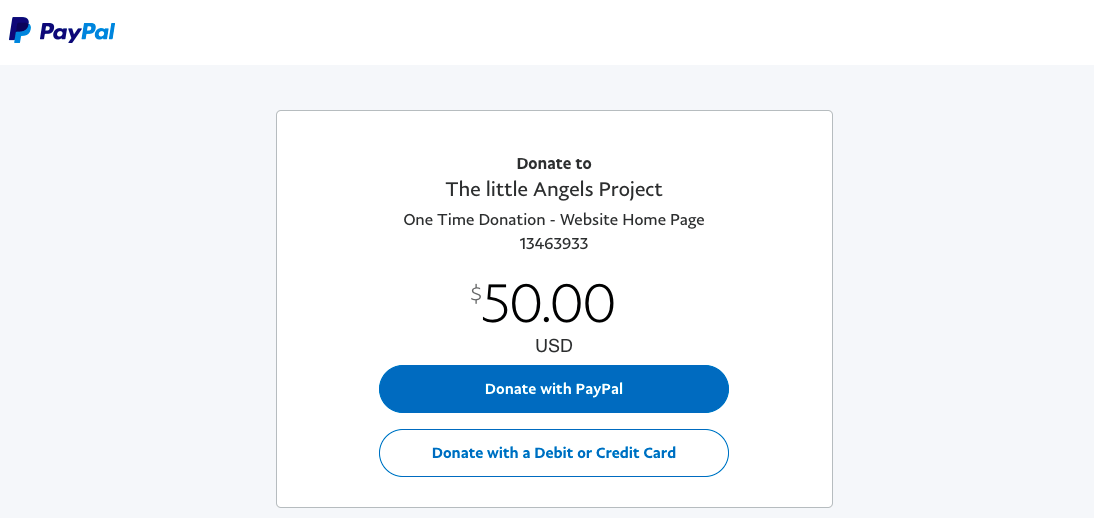
Donors can donate via credit or debit card, even if they don’t have a PayPal account.
ThePayPal Giving Fund helps charities reach new donors on PayPal, eBay, and other technology platforms. You need toenroll to be eligible.
For U.K.-based organizations,Gift Aid can be secured on eligible donations. This can boost donations by up to 25%.
Donorbox Versus PayPal
While PayPal allows your organization to accept online donations, it isn’t optimized for nonprofits. Donor management isn’t possible if you’re only using PayPal. Plus, recurring donations are limited to the monthly interval.
A highly customizable donation form and donation page are crucial for scaling donations and donor engagement, but this is not attainable with PayPal.
Itmakes a difference to choose an all-in-one online fundraising platform like Donorbox that streamlines fundraising and provides a plethora of branding options for your donation forms and pages.
With Donorbox, you can also ask your donors to cover the processing fees.
There are many reasons why nonprofits choosedonation pages over PayPal donate buttons. The primary reason is the lack of customizations available for PayPal donate buttons.
To offer you the best of both worlds, we’ve partnered with PayPal to allow organizations to accept PayPal donations and take advantage of our fundraising anddonor management features.
Check out our in-depth comparison video to see why Donorbox is a better solution for your fundraising needs than PayPal:
What Does Donorbox’s Partnership with PayPal Offer Your Organization?
1. Recurring donations are flexible
Donorbox allows donors to set up flexible recurring donations paid via PayPal — these include daily, weekly, bi-weekly, 1st and 15th, monthly, quarterly, or yearly options.
PayPal, on the other hand, only allows donors to set up monthly donations. For donors who want to give less often than this, the lack of flexible options can mean they only make a one-time donation.
See how Learning Lions is collecting donations to provide underprivileged people in Eastern Africa with technology skills using their Donorbox donation form. We love how they’ve included one-time and recurring giving options on their form!
As mentioned earlier, Donorbox allows you to ask donors tocover credit card processing fees when making a donation via your form, so more of their contributions go directly to your cause.
When they opt in, donors will cover the 1.99% + $0.45 processing fee for PayPal donations, and the 2.95% Donorbox platform fee (3.95% for Events, Peer-to-Peer, and Memberships).
For Pro and Premium plans, the fee is even lower at 1.75% for features applicable at these levels, and only 2% for Events, Memberships, and Peer-to-Peer.
See how SHE for Girls asks donors to cover fees on their embedded Donorbox donation form:
With Donorbox, donations are sent straight to your organization’sbank account. If you’re fundraising using PayPal, you’ll need to transfer donations from your PayPal account to your bank account.
By removing this step, you’ll save time and effort while ensuring you have quick access to funds critical for keeping your mission moving forward.
4. Customized receipts
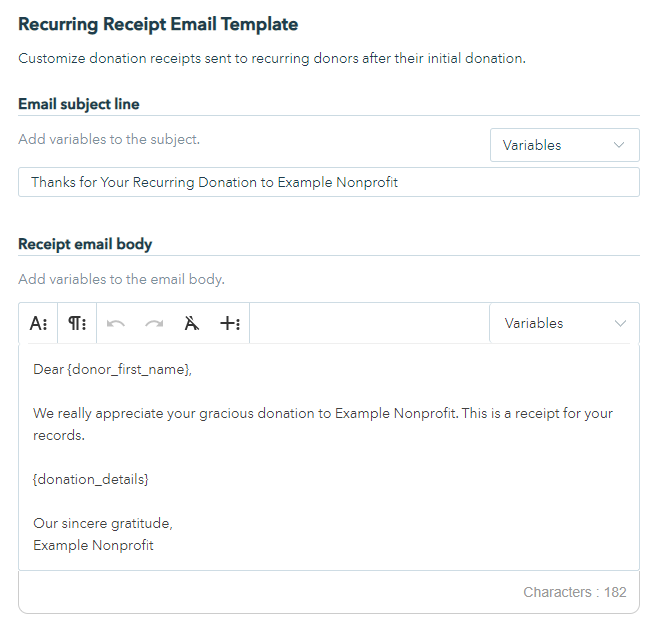
With Donorbox, you can customize your donationreceipts to thank supporters after they’ve donated. Custom receipts are also automatically sent after a gift is made to your cause, saving time and ensuring every donor is acknowledged while helping you remain tax-compliant.
Unfortunately, PayPal does not offer this functionality.
5. A quick checkout process
Donorbox connects with PayPal Checkout to give your donors a quick checkout experience.
It also integrates with PayPal One-Touch, allowing donors to stay logged into PayPal and move quickly through the checkout process. Your donors can fill out the necessary information, select PayPal for payment, and click the “Donate” button.
If they’re already logged into PayPal, the payment can be made with just one click, as shown below.
PayPal Checkout also allows your donors to use other quick payment options like Venmo. Donors can simply choose the option shown in the image below to make a quick donation to your nonprofit using theirVenmo digital wallet.
Even donors using the desktop can use this option to donate. They’ll be shown a QR code that they can scan on their Venmo app to complete the payment.
6. Access to the Donorbox platform (+ its powerful fundraising & donor management features)
With Donorbox, you don’t just get a simple and fast checkout process but also enjoy access to a plethora of fundraising and donor management features and multiple payment methods (other than PayPal).
Here are some of the most popular Donorbox features:
How to Accept PayPal Donations with Donorbox [3 Simple Steps]
Step 1: Go to your Donorbox account
Once you’ve logged into your Donorbox account, click on Payment Processors under “Settings.”
Step 2: Add PayPal under Payment Methods
Next, select “Connect PayPal.”
Step 3: Log in to PayPal
You’ll be taken to PayPal, from where you can enter your email address and country to log into your existing account or create a new one. Follow the prompts to complete your setup and connect PayPal to Donorbox.
That’s it! You can now accept PayPal donations via Donorbox.
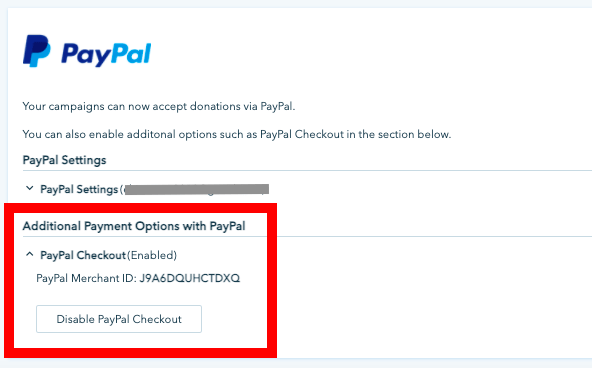
Note: Donorbox automatically upgrades all new PayPal users to PayPal Checkout unless they’ve failed to complete the signup process or their country doesn’t support it.
Over to You
Donorbox’s partnership with PayPal allows organizations like yours to accept mission-critical funds via PayPal and other payment methods. Our OmniGive donation form allows you to offer donors more than 22 payment methods, expanding your global reach and maximizing your fundraising potential.
Plus, you get to access our other powerful fundraising and donor management features and tools!
Visit the rest of our Nonprofit Blog for more fundraising tips and insights. Subscribe to our monthly newsletter for exclusive fundraising content sent directly to your inbox!
Frequently Asked Questions
1) Can individuals use PayPal with Donorbox?
You must have a PayPal business account to connect your PayPal with Donorbox. To start a PayPal business account, you must provide your legal name, email address, password, tax ID or social security number, business description, and business bank account details.
2) Does PayPal waive fees for nonprofits?
Yes, they do offer discounted rates for nonprofits. It is 1.99% + $0.45 per transaction with no monthly fees.
3) How do I avoid PayPal fees?
To avoid PayPal fees, you can sign up on Donorbox, which has an affordable platform fee of 2.95% for features included in our Standard plan, and 3.95% for Events, Memberships, and Peer-to-Peer at this level (which can be even lower if you opt for our Pro or Premium plans). Donorbox also gives you the option to let your donors cover the processing fees. Learn more about Donorbox’s plans and pricing here.
4) Can I let donors cover my processing fees if I use PayPal?
No. You can’t cover processing fees if you use PayPal as the donation system. But if you accept PayPal donations via Donorbox, you can always ask your donors to cover your processing fees.
5) Do I get year-end tax receipts with PayPal?
You don’t get year-end tax receipts with PayPal. With Donorbox, you can get one-off and recurring donation receipts, as well as year-end receipts.
6) Can I integrate recurring donations with PayPal?
Donations on PayPal are one-time and monthly. With Donorbox, you can accept one-time, daily, weekly, bi-weekly, monthly, quarterly, and annual donations.
Raviraj heads the sales and marketing team at Donorbox. His growth-hacking abilities have helped Donorbox boost fundraising efforts for thousands of nonprofit organizations.

 Join the fundraising movement!